Hidden Limitations of GoDaddy Email and How Microsoft 365 Solves Them

Hidden Limitations of GoDaddy Email and How Microsoft 365 Solves
Limitations of GoDaddy Email and How Microsoft 365 Solves

When you first launched your business, GoDaddy email made a lot of sense. It was affordable, easy to set up, and came bundled with your domain registration. For a team of two or three, it did the job. But somewhere along the way — a new hire, a compliance requirement, a phishing scare — you started noticing the cracks. 

You’re not alone. Thousands of small and mid-sized businesses across the US start with basic email hosting and quickly discover that “good enough to start” is rarely “good enough to scale.” The modern business communication stack demands more: tighter security, seamless remote collaboration, reliable uptime, and tools that actually connect your team’s work.

Understanding GoDaddy Email Hosting

GoDaddy’s email hosting — primarily powered by its Workspace Email and the resold Microsoft 365 plans — caters to small businesses that want professional, domain-based email without a steep learning curve. 

For many startups and sole proprietors, the appeal is straightforward: 

  • Low monthly cost (plans starting under $3/user) 
  • Simple onboarding tied to your existing GoDaddy domain 
  • Webmail access and basic calendar/contacts features 
  • Familiar inbox interface requiring no IT expertise 

These are real advantages — for the right stage of business. The problem is that most businesses don’t stay at that stage forever. 

Hidden Limitations of GoDaddy Email

GoDaddy’s email hosting doesn’t advertise its constraints loudly. Here’s what you’ll discover — usually at the worst possible time. 

Limited Scalability 

Adding a handful of users to GoDaddy Workspace Email is straightforward. But as your team grows past 10, 20, or 50 people, the cracks show fast. Managing user permissions, creating shared mailboxes, and administering accounts lacks the centralized control that IT teams need. There’s no robust admin console for bulk user management, no tiered role assignments, and onboarding new employees means manual configuration — every single time. 

For remote or hybrid teams, the gaps are even more pronounced. Without native integrations for video calls, document sharing, or team chat, employees end up cobbling together a patchwork of disconnected tools. That fragmentation kills productivity.

Storage Restrictions 

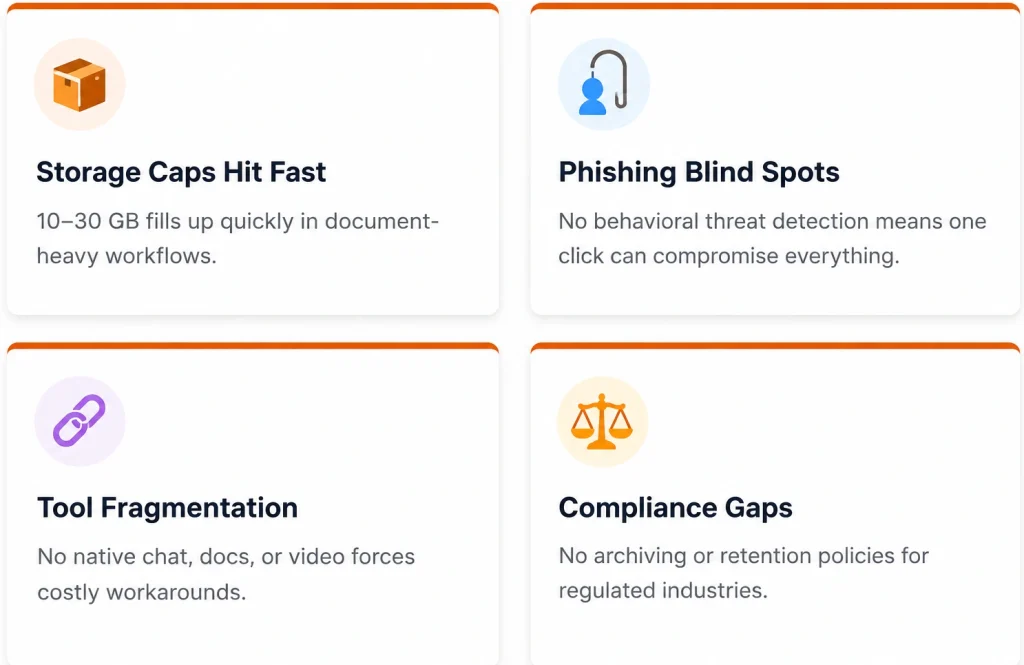
GoDaddy’s Workspace Email plans typically cap mailboxes at 10 GB to 30 GB per user . For businesses that communicate heavily via email — attaching contracts, proposals, design files, or client reports — storage warnings become a recurring headache within the first year. 

More critically, there’s no built-in email archiving or retention policy management. If you’re in a regulated industry — legal, healthcare, financial services — the inability to enforce and audit email retention isn’t just inconvenient. It’s a compliance liability.

Basic Security Features 

his is where the stakes get serious. GoDaddy email offers standard spam filtering and basic SSL, but it lacks the advanced threat protection that modern businesses need. There’s no built-in: 

  • Anti-phishing intelligence that analyzes email behavior patterns 
  • Ransomware protection or suspicious link detonation 
  • Multi-factor authentication enforced at the admin level 

A single successful phishing attack costs US businesses an average of $136 per compromised email — and SMBs are now the primary target. Basic spam filters were designed for a different threat landscape. 

For any business handling client data, financial records, or protected health information, these gaps represent real risk — not theoretical risk.

Lack of Advanced Collaboration Tools 

GoDaddy email is, fundamentally, just email. There’s no native team chat, no shared document workspace, no project task management. When your team needs to collaborate on a proposal, they’re emailing attachments back and forth — creating version conflicts, wasting time, and burying important decisions in thread after thread. 

There’s also no integrated calendar system that syncs cleanly across the organization, no shared contact directories, and limited ability to manage shared mailboxes like info@yourcompany.com without awkward workarounds. 

Performance and Reliability Concerns 

GoDaddy’s email infrastructure doesn’t carry the same enterprise-grade SLA guarantees that dedicated platforms offer. Users frequently report sync delays between webmail and desktop clients, occasional outages that affect business-critical communication, and inconsistent email delivery times — especially bulk sends. 

When your email goes down during a client deadline or a sales negotiation, the cost isn’t just inconvenience. It’s real revenue. 

Migration and Administrative Complexity

Ironically, one of the biggest pain points is getting out. GoDaddy’s admin interface provides limited export tools, making it difficult to migrate historical email data cleanly. Integration with modern CRM platforms, ERP systems, or project management tools often requires third-party connectors that add cost and complexity.

Migration and Administrative Complexity

How Microsoft 365 Solves These Challenges

Microsoft 365 isn’t simply a better email product — it’s a complete business productivity platform. Here’s how it directly addresses each GoDaddy limitation. 

Enterprise-Grade Email with Exchange Online 

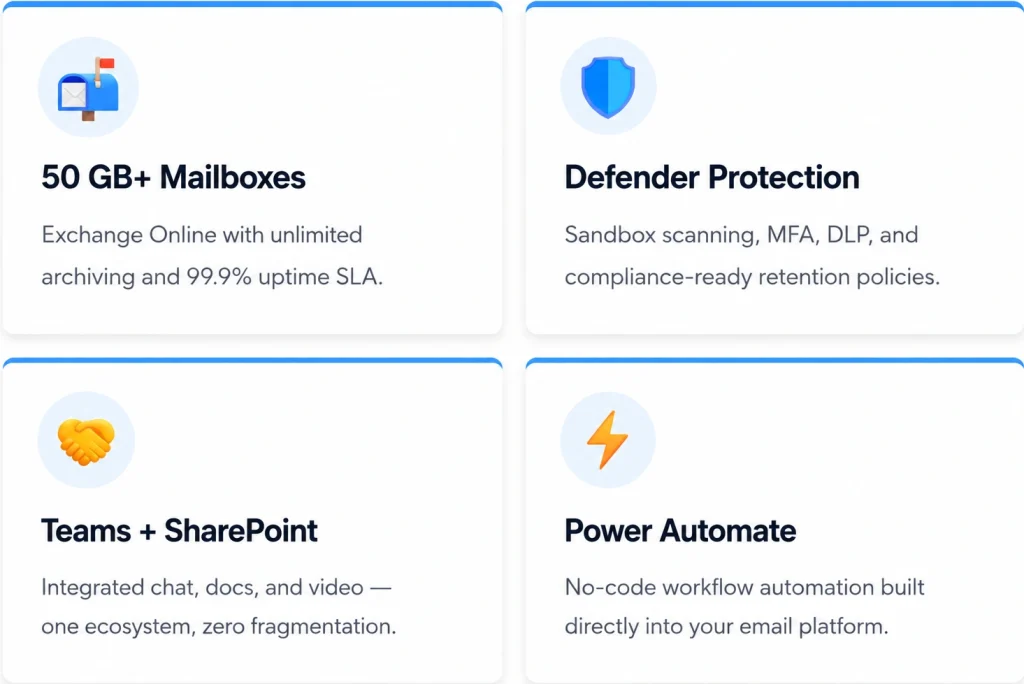
Every Microsoft 365 business plan includes Exchange Online , which provides 50 GB of mailbox storage per user (expandable to unlimited with archiving). Uptime is backed by a 99.9% financially guaranteed SLA — a meaningful commitment you simply don’t get with shared hosting infrastructure. 

Exchange Online also supports shared mailboxes, resource calendars, and distribution groups with a clean, centralized admin portal — making management practical even for a non-technical business owner. 

Advanced Security and Compliance 

Microsoft Defender for Office 365 brings enterprise-level threat protection to every inbox. This includes: 

  • Safe Links — URLs are scanned at click time, not just delivery 
  • Safe Attachments — files are detonated in a sandbox before reaching users 
  • Anti-phishing policies with impersonation detection 
  • Multi-factor authentication enforced across all users via Azure AD 
  • Data Loss Prevention to flag and block sensitive data in outbound emails 
  • Compliance Center with eDiscovery, legal hold, and retention policies 

For healthcare, legal, and financial businesses, these features aren’t extras. They’re table stakes for regulatory compliance with HIPAA, FINRA, and similar frameworks.

Seamless Collaboration That Actually Works 

The collaboration gap between GoDaddy email and Microsoft 365 is enormous. With Microsoft 365, your team gets: 

  • Microsoft Teams — chat, video calls, file sharing, and project channels in one place 
  • OneDrive — 1 TB+ of personal cloud storage per user, synced to desktop 
  • Outlook — deeply integrated calendars, tasks, and contacts across devices 
  • Real-time co-authoring in Word, Excel, and PowerPoint — no more attachment confusion 

These aren’t bolted-on features. They’re a connected ecosystem designed to work together from day one.

Scalability Built for Growth 

Microsoft 365 licensing scales with your business. Add or remove users within minutes from the admin portal. Choose from Business Basic, Business Standard, or Business Premium depending on feature needs — and upgrade individual users as their roles demand more. There’s no painful re-migration when you grow from 15 to 150 employees.

Productivity and Automation 

Power Automate — included in most Microsoft 365 plans — lets your team build workflows without writing a single line of code. Automatically route support emails, trigger approvals, sync data with your CRM, and more. Shared calendars, task management in Planner, and cross-device accessibility via mobile apps complete the picture of a truly modern work environment.

Productivity and Automation

Signs Your Business Has Outgrown GoDaddy Email

  • You or your team receive regular storage full warnings 
  • Phishing emails are getting past your filters more frequently 
  • Remote or hybrid employees are struggling to collaborate on shared files 
  • Onboarding new employees involves manual, time-consuming email setup 
  • You’re using 3+ disconnected tools for chat, video, and file sharing 
  • A client, auditor, or insurer has raised questions about your data security 
  • You’ve missed emails due to delivery delays or sync issues 
  • You operate in a regulated industry and have no email retention policy 

If more than two of these apply, the cost of staying is already higher than the cost of switching. 

Ready to Make the Switch?

Migrating from GoDaddy to Microsoft 365 is straightforward with the right guidance. Work with a certified Microsoft 365 migration specialist to plan a zero-downtime transition that protects your email history, your domain, and your team’s productivity.

Microsoft 365 Power Apps and SharePoint: Optimizing Your Business

Migration Best Practices: Moving from GoDaddy to Microsoft 365

The migration process doesn’t have to be disruptive. Here’s how professional migrations are typically structured: 

  • Audit your current environment. Document all existing mailboxes, aliases, distribution lists, and any third-party integrations before touching anything. 
  • Back up all existing email data. Export PST files or use a third-party backup tool. Don’t begin migration without a verified backup. 
  • Prepare your domain and DNS. You’ll need to update your MX records to point to Microsoft 365 servers. Ensure your domain registrar access is ready. 
  • Choose the right Microsoft 365 plan. Business Basic works for email-only needs; Business Standard or Premium adds Teams, Office apps, and advanced security. 
  • Run a pilot migration. Migrate 2–3 test accounts first to validate the process before moving the entire organization. 
  • Migrate in phases. For teams larger than 10, migrate department by department to limit disruption. 
  • Train your users. Even a 30-minute walkthrough of Outlook and Teams dramatically reduces post-migration support tickets

Common Migration Challenges and How to Overcome Them

Email Downtime During Cutover 

Solution: Schedule your MX record switch during off-hours (evenings or weekends). Use a low TTL value (300 seconds) before the migration to speed DNS propagation and minimize the gap.

Historical Email Not Appearing 

Solution: Use Microsoft’s Exchange Migration Wizard or a third-party tool like BitTitan MigrationWiz for clean IMAP migrations that preserve folder structure and timestamps.

DNS Propagation Delays 

Solution: Allow 24–48 hours for full propagation. Configure both GoDaddy and Microsoft 365 simultaneously during the transition window to avoid missed emails. 

User Adoption Resistance 

Solution: Introduce Microsoft Teams and the new Outlook interface before the migration completes. Familiarity before go-live significantly reduces friction.

Third-Party App Compatibility 

Solution: Audit all apps connected to your current email (CRM, helpdesk, accounting software). Most major platforms support OAuth2 authentication with Microsoft 365 — verify before cutover.

Frequently Asked Questions

Absolutely. Your email domain (e.g., yourname@yourcompany.com) remains unchanged. You only update the DNS records that direct mail traffic to Microsoft’s servers rather than GoDaddy’s.

Significantly more so. Microsoft 365 includes Microsoft Defender, advanced anti-phishing, Safe Links, Safe Attachments, enforced MFA, and enterprise compliance tools — none of which are available in GoDaddy’s native email hosting.

Existing mailboxes continue to receive mail throughout the migration process. A properly managed cutover — where MX records are switched after migration completes — ensures no emails are lost during the transition.

Conclusion:

GoDaddy email served its purpose. For a business just getting started, it provided a quick, affordable way to look professional. But as your team grows, your security requirements deepen, and your clients expect faster, more reliable communication — the limitations stop being minor inconveniences and start costing you real money and real risk. 

Microsoft 365 isn’t just a step up from GoDaddy email. It’s a complete reimagining of how a business communicates, collaborates, and protects its information. From enterprise-grade Exchange Online to Microsoft Teams, from Defender security to automated workflows with Power Automate — it’s built for businesses that are serious about growth. 

The longer you delay the switch, the more those hidden limitations compound. Storage fills. Phishing attacks get smarter. New hires find the tools frustrating. Clients notice slow responses. The cumulative cost of staying is real, even if it’s invisible on a spreadsheet.

Our Related Posts

Cloud Migration Security

Cloud Migration Security: Risks & Best Practices

Key cloud migration security risks, challenges, and best practices to protect data and ensure compliance.

Common Microsoft 365 Setup Mistakes That Put Your Organization at Risk

Microsoft 365 Setup Mistakes to Avoid Today

Avoid common Microsoft 365 setup errors that expose data and increase security risks for businesses.

Microsoft-Cloud-Solution-Provider-Unlocking-Growth-and-Benefits-for-Your-Business

Microsoft CSP Benefits & Growth for Business

Learn how becoming a Microsoft Cloud Solution Provider boosts growth, value-added services, and customer success.

No Comments

Sorry, the comment form is closed at this time.